Places To Go
Background
I follow a lot of culinary review accounts on Instagram, especially ones around my city. Every time I see an interesting place, I bookmark it. After a while, I realized this wasn’t working. I rarely checked my bookmarks, and they were always mixed with other stuff that had nothing to do with food.
So I started using a Google Sheets table to track places I wanted to visit. That helped with organization, but the process of adding a new place was painful. Every time I found somewhere interesting on Instagram, I had to open Google Maps, look it up, and copy the link. On mobile, you can’t just copy a Maps URL directly. You have to share it to another app first. Then I’d switch to the spreadsheet, type in the place name, city, and paste the link. If I also wanted to know how far away it was or how long it’d take to get there, that meant even more manual work.
I got tired of that whole routine, so I started looking for a way to automate it. I came across a tutorial showing that OpenClaw, an open-source locally-running AI agent, could connect to Telegram. I tried it, it worked, but it had to run on my laptop the whole time. I looked into deploying it somewhere for free, but the options I found were either too slow or hit the memory limit before the app could even run properly.
Around the same time, I remembered a conversation I had with my manager at work about the Vercel AI SDK. That gave me the idea to just build something myself, cloud-native, free to deploy, and does exactly what I need. So here we are. I’ve been using it daily since and my bookmarks folder is finally irrelevant.
How it works
Instead of filling out forms or switching between apps, I just chat with it naturally and it does the rest. It works on a Next.js web app, a Telegram bot, a CLI, and any MCP-compatible client like Claude Desktop, so I can use it from anywhere.
The AI assistant runs on Mistral AI with a sarcastic persona that speaks English, Indonesian, and Javanese. It sticks to one language per message and uses no emojis. The Telegram bot is locked down with user ID filtering, so only authorized users can interact with it.
Adding places to the tracker
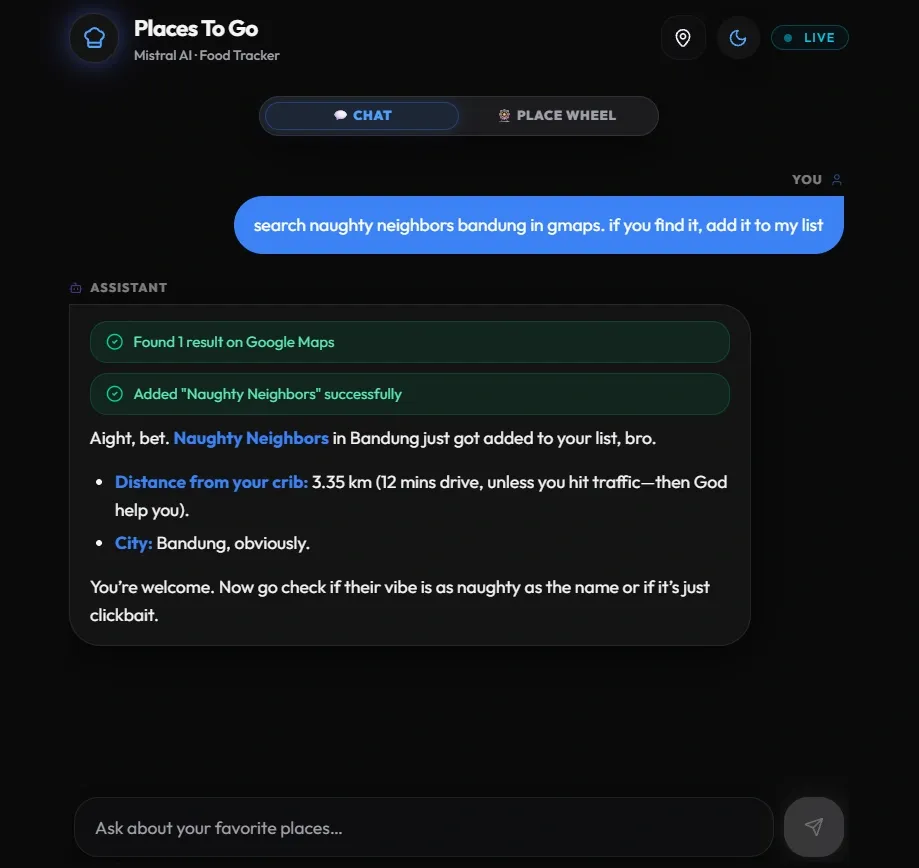
This is the main workflow. When I ask the assistant to add a place, it takes care of everything: resolving Google Maps short links, extracting coordinates and the place name, calculating the distance in kilometers and travel time in minutes using the Google Maps Routes API, and saving it all to a Google Sheet. What used to take several minutes of copying and pasting now takes a single chat message.
Smart recommendations
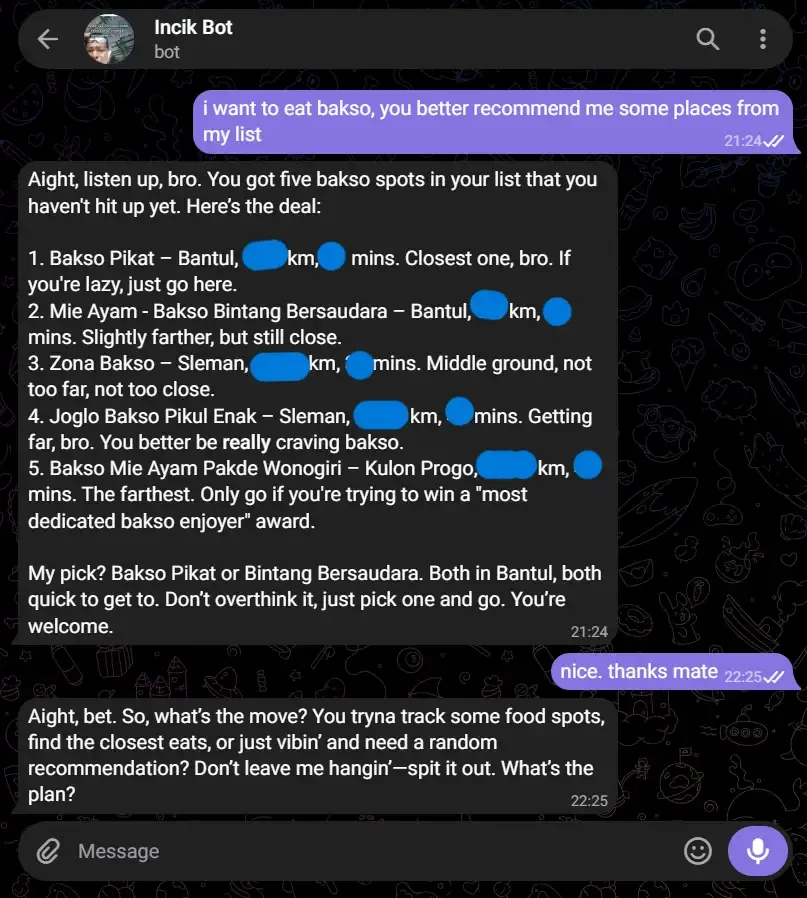
Once the list grows, the assistant can help me decide where to eat. It can sort by the nearest spots, the quickest to reach, a specific city, or a fuzzy search by name. When I genuinely can’t decide, there’s a random pick option too. For discovering new restaurants outside my tracker, it searches Google Maps directly and returns the top three results with names, cities, and links.
Tracking and managing places
After I visit a place, I can tell the assistant to mark it as visited with the date. If I mark the wrong one by mistake, I can unmark it. I can also delete places permanently when they close or I’m no longer interested, and the assistant handles shifting the remaining rows in the sheet so nothing gets out of order. I don’t need to type the exact name for any of this either.
Priority queue
Having a long list is one thing, deciding what to go to next is another. I added a priority queue so I can rank the places I actually intend to visit soon, with rank 1 meaning go there first. If I insert a place at a rank that’s already taken, the rest shift automatically to stay contiguous instead of me having to renumber everything by hand. Visiting or deleting a prioritized place clears its rank and renumbers the rest of the queue so there are no gaps left behind.
Wheel of Places
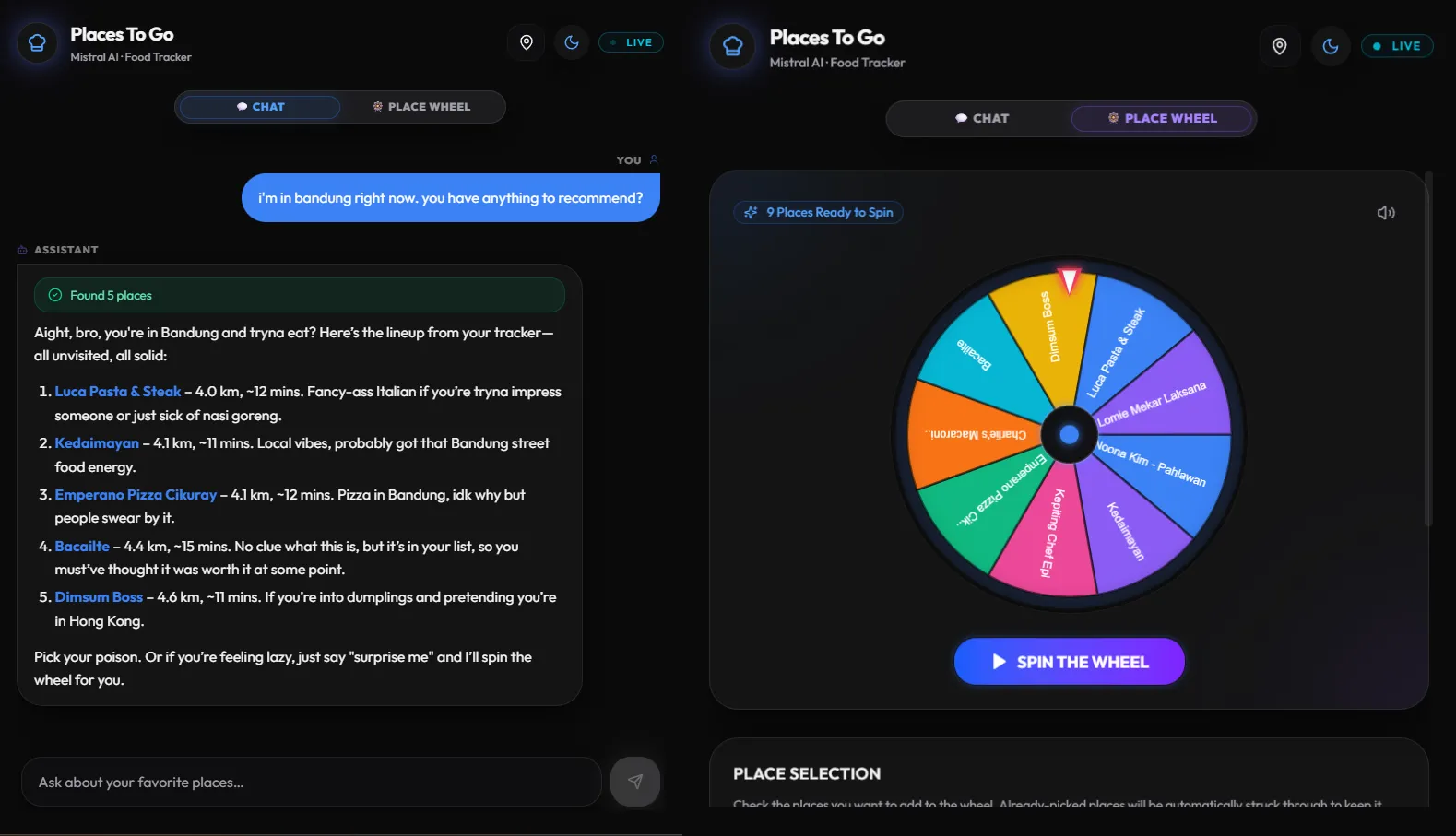
The AI already has a random pick tool, but I wanted something more visual and satisfying. I had been wanting to build a spin wheel, something like Wheel of Names, for a long time, way before the AI hype. I just never had the time or the motivation to sit down and build it for its own sake. This project finally gave me a good enough reason.
The wheel pulls my full place list, lets me pick which entries go in, and spins to a random winner. Already-picked places are excluded from subsequent spins so I don’t keep landing on the same spot.
Live GPS location
The app supports real-time location tracking from both the web and Telegram. To keep Google Maps API costs low, it only recalculates distances when I move more than 2 kilometers from my last known position. My location is stored in a dedicated tab named “Session” on Google Sheets, so it persists between conversations.
CLI
Sometimes I don’t want to open a browser or reach for my phone just to look something up. I built ptg.sh, a local command-line tool that talks to the same backend as the web app and Telegram bot. It has direct commands for one-off lookups, like getting a random place or adding one by link, plus an interactive chat mode running the same AI persona and tools I use everywhere else. Commands that change data go through the same per-tool rate limiter as the web and Telegram front ends, since they all draw from the same Google API quota.
Rate limiting
Several tools in this app call Google Maps APIs, which cost money per request. I added per-tool rate limiting backed by Upstash Redis, using sliding-window limits with separate counters for demo and production, so no runaway AI loop or accidental abuse ever pushes my bill above zero. It also no-ops gracefully in local dev when Redis isn’t configured.
MCP server
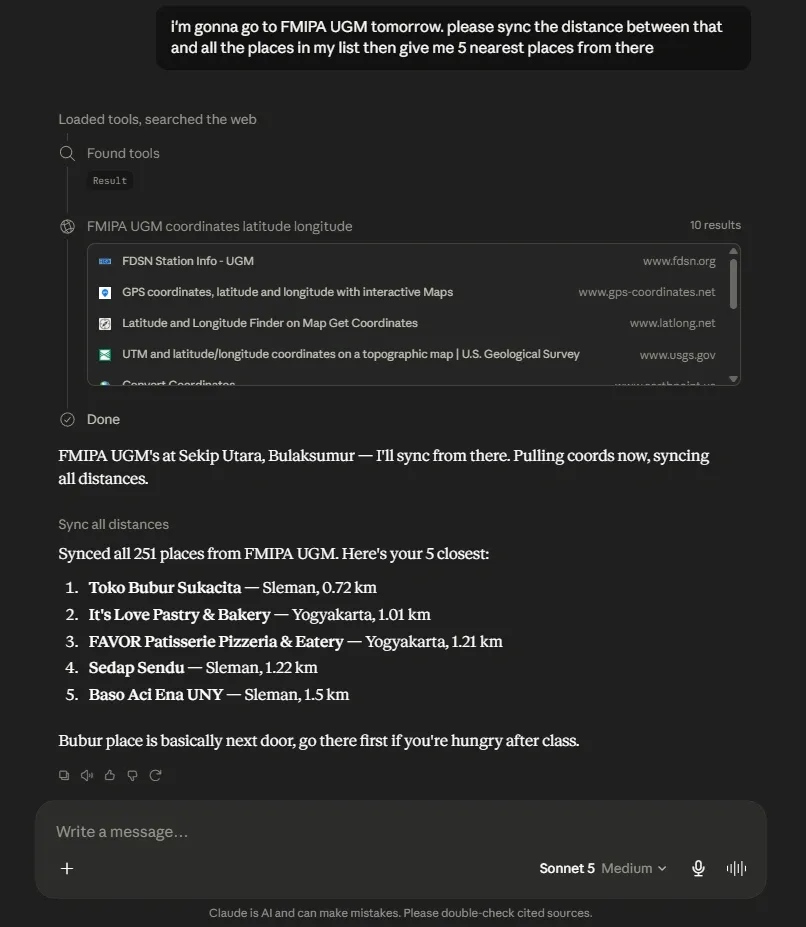
The app exposes a Model Context Protocol server at /api/mcp, so I can connect my tracker directly to MCP-compatible AI clients like Claude Desktop. That means I can query and manage my list from inside any chat interface that supports MCP tools, without opening the web app at all. Since the Vercel AI SDK and MCP work with tools in a similar way, I define them once and share the same instance between both, without duplicating tool definitions.
Tech stack
The frontend is Next.js 16 with Tailwind CSS 4 and Shadcn UI. The Telegram bot runs on grammY. The AI layer uses Vercel AI SDK v6 with Mistral AI. I used Google Sheets as the database to keep everything free-tier, with Google Maps APIs handling location features and Upstash Redis powering the rate limiter. The whole thing is deployed on Vercel.
Since the app is backed by my personal sheet, the public demo runs on Vercel Blob instead, with the Telegram bot and MCP server disabled and a 75-place cap on the shared list.